Tables & Structures
Tables in ABAP is closely similar to SQL Tables. Table have columns of different data types (in ABAP, data elements). and consist of Rows or Records.
Structures in the other hand, define the structure of a table or a workarea. It is like defining Object type or a class. In structure you define what are the fields and what domain/data-element they are using.
The structure later can be used to define a internal table or a table in the database.
Structures
We previously create a local structure within one program. Because we can't reuse the local structure in different programs, we will look into another way of creating a structure globally that can be reused in multiple programs.
Creating Global Structure
First we navigate to SE11.
We write a name on the Data Type Field and click on Create.
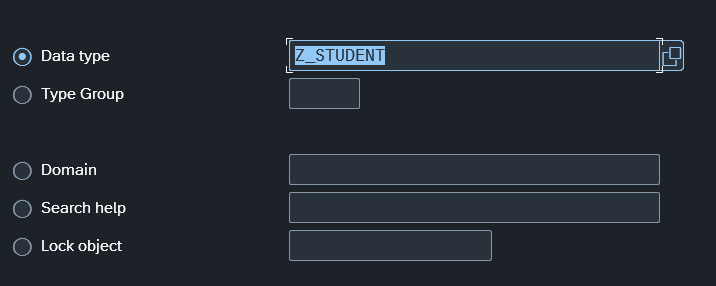
Then we choose structure
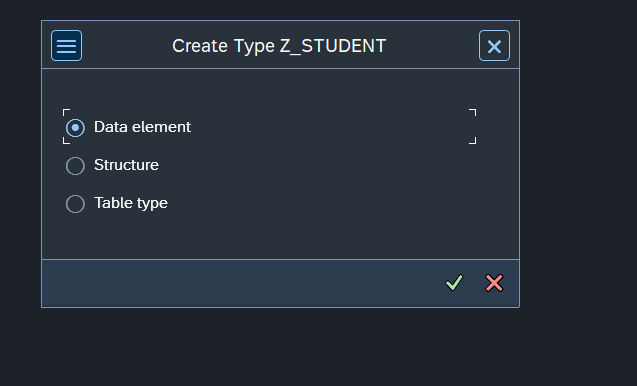
Here we can define our structure using Data Elements.
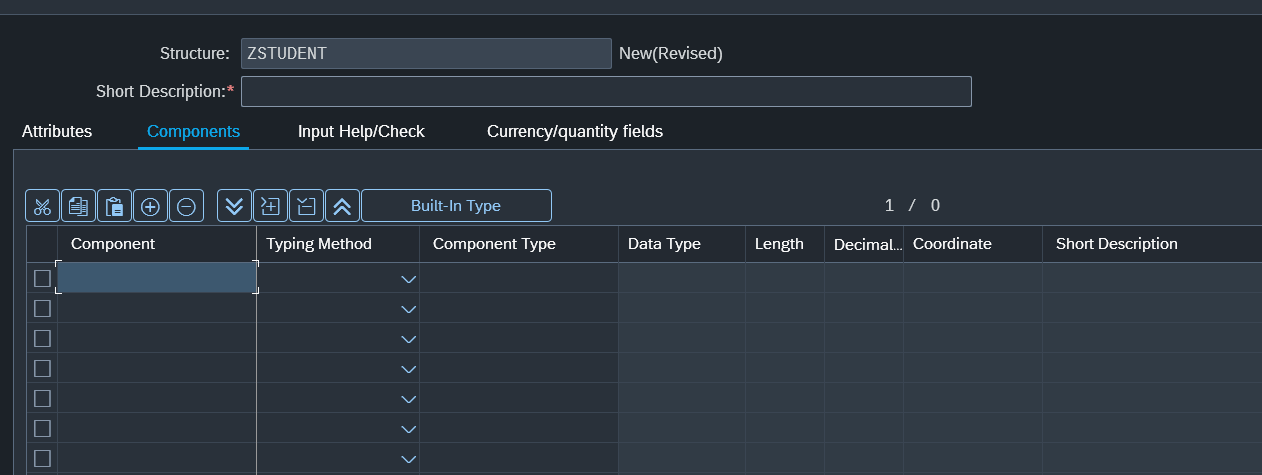
Added 5 Fields.
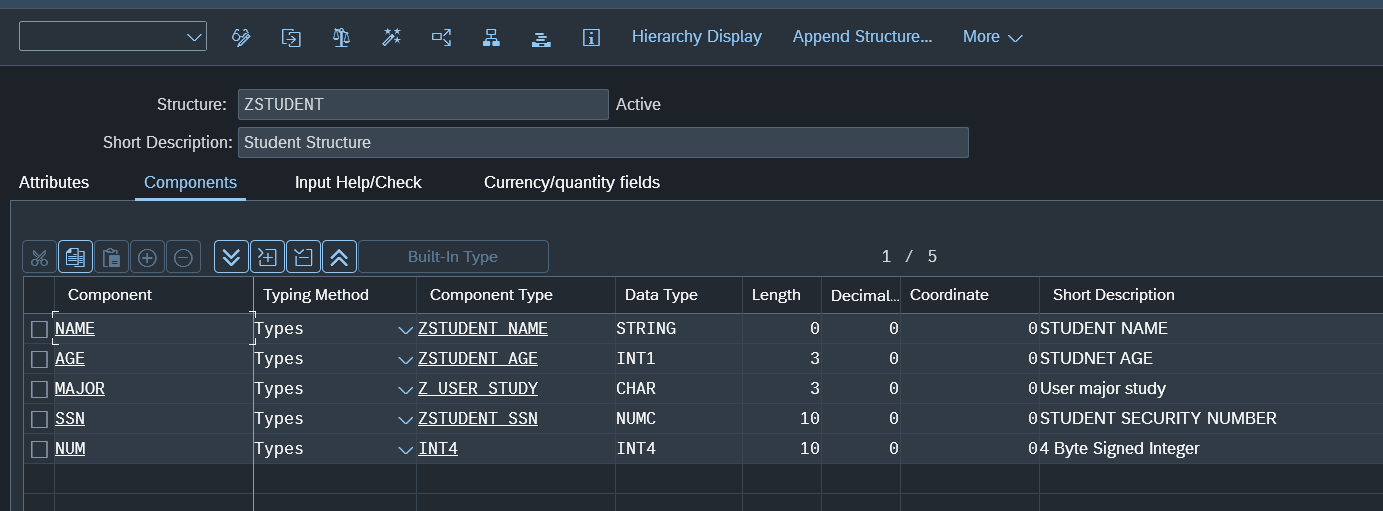
Then we click Save, and prompted on the usual package and request. We select them and we done creating a structure.
This structure will be available to any program you create in the future.
Although in Program code you can specify 'I', when defining a structure here, you need to define the actual data type. INT4 or INT1. Depending on what the actual need is. Integer is one example there can be other types that can leave you confuse on why it is failing to activate.
Different Type of Tables
There are two types of tables in the ABAP world. Internal Tables (Stored in memory during runtime of programs) and Tables (Stored In DB).
Usually Internal Tables are used to store SQL query results or store some workareas then inserting them into DB Table.
Tables
You can create a DB Table from SE11 Transaction, Using the Database Table radio option and clicking create.
You will see this.
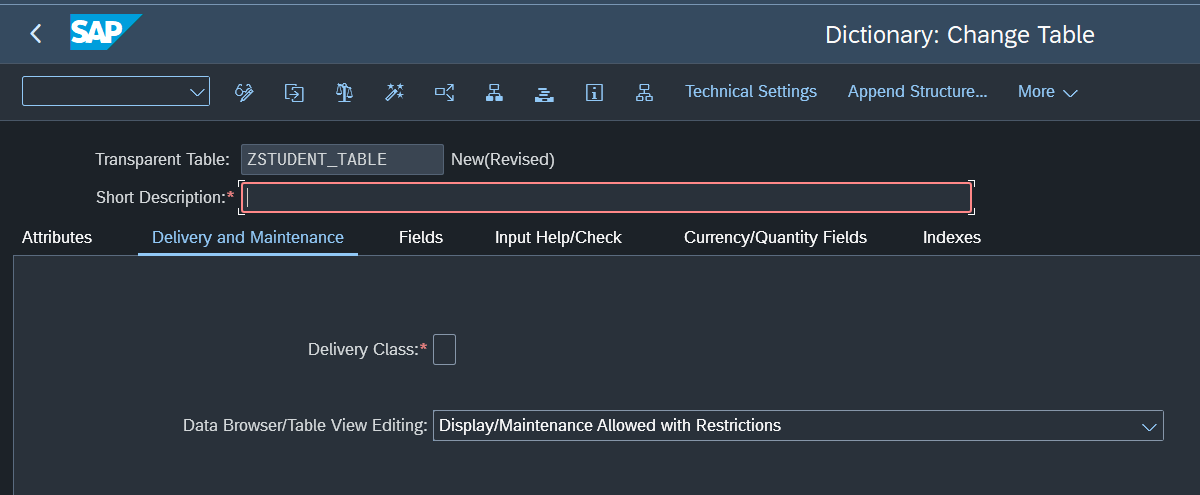
You need to specify the short text and Delivery class.
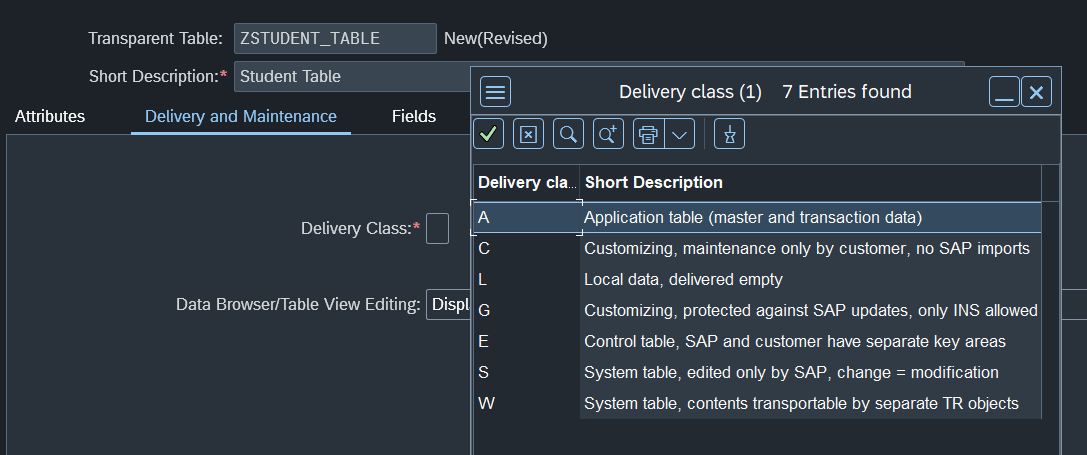
While there are many delivery classes, you probably only use one or two classes.
Most used is A class. and it will be the one we choose.
Here we add our fields.

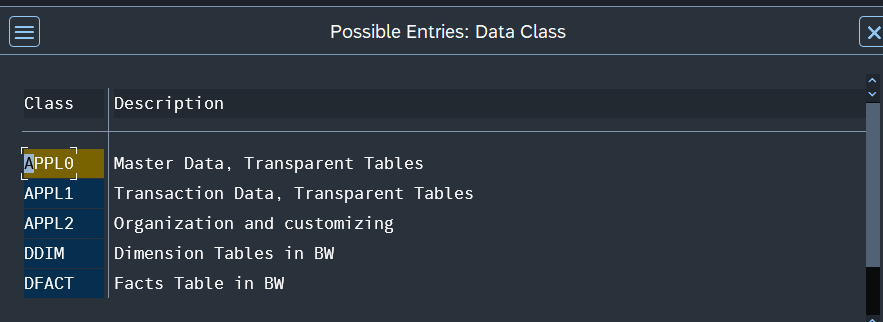
After that you can Save and Activate. You will be asked to add the data class of the table.
Similar to Delivery Classes, this will usually be APPL0
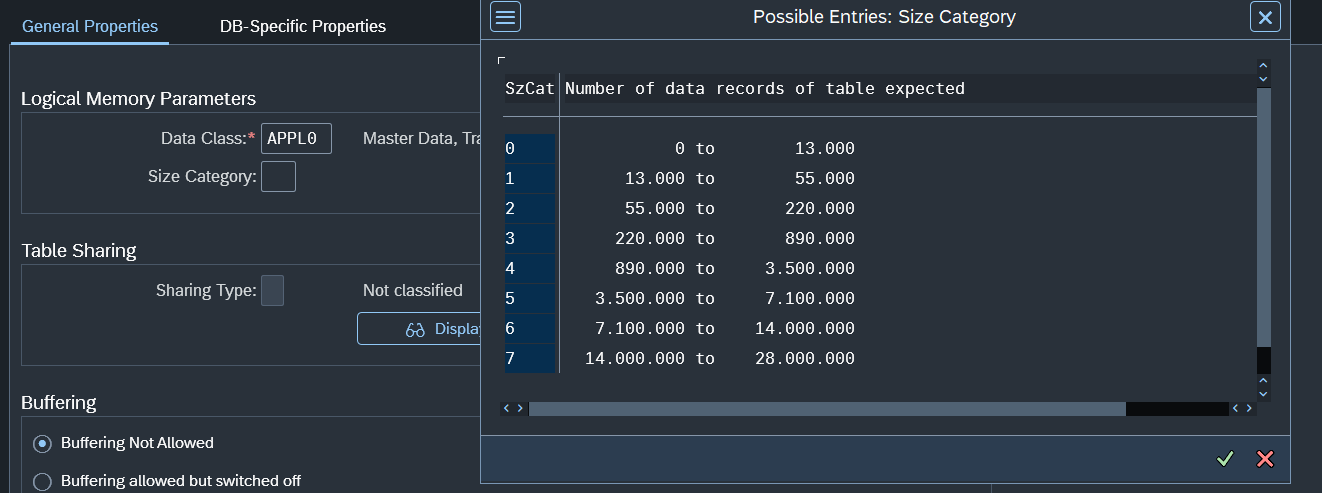
 You will also be required to choose a size category for the table.
This will be the number pf excepted records of the table
You will also be required to choose a size category for the table.
This will be the number pf excepted records of the table
Lastly Save and Activate.