User Interactions
To take input from users we have multiple methods to do so.
| Input Type | Keyword used | Example |
|---|---|---|
| Keyboard input (Text, number) | PARAMETERS | PARAMETERS: age TYPE I |
| Select from values | SELECT-OPTIONS | SELECT-OPTIONS: major FOR S_STUDY_MAJOR` |
Parameters
It define a direct text input that allow user to input numerical or text.

This will input the user with Two fields when the program is ran.

If the user input the data they can execute again to display data.

SELECT-OPTIONS
Using select options you can allow users to choose a values from fixed values.
Before you need to define a variable that hold the same data-element of your variable you want to define.

Then in execute you can allow user to choose from values.

Selection Frames
You can format the fields by putting them in a selection frame.
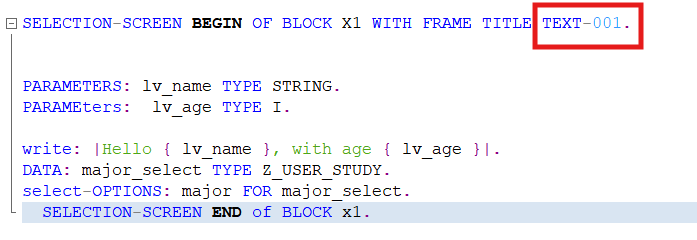
You can specify the Screen Title text by double clicking the TEXT-001 (Can also be TEXT-002,TEXT-003..etc). This will navigate you to a screen to specify the text for given title. Make sure to save and activate before you navigate back to the program or it will not work.
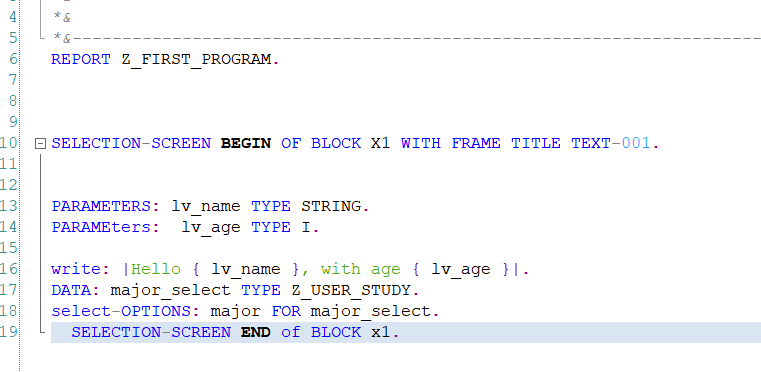
Result of these changes:
You can display pop-ups if certain condition is met.
For Example here, if the it_sflight is empty, we display an error message.
IF it_sflight IS INITIAL.
MESSAGE : 'NO DATA' TYPE 'E'
| Message | description | Identifer |
|---|---|---|
| Error | Indicate an Error has occured | 'E' |
| Information | Inform the user that something happens | 'I' |
| Sucess | Inform the user of Success Operations | 'S' |
