Domains
Domains in ABAP define the technical attributes of a table field, such as data type, length, and possible value ranges. They serve as reusable templates for multiple fields across different tables. They are close to types in Typescript extended with labels and value ranges.
Upon getting access, will update with screenshots.
MARKED AS TODO
Creating a Domain
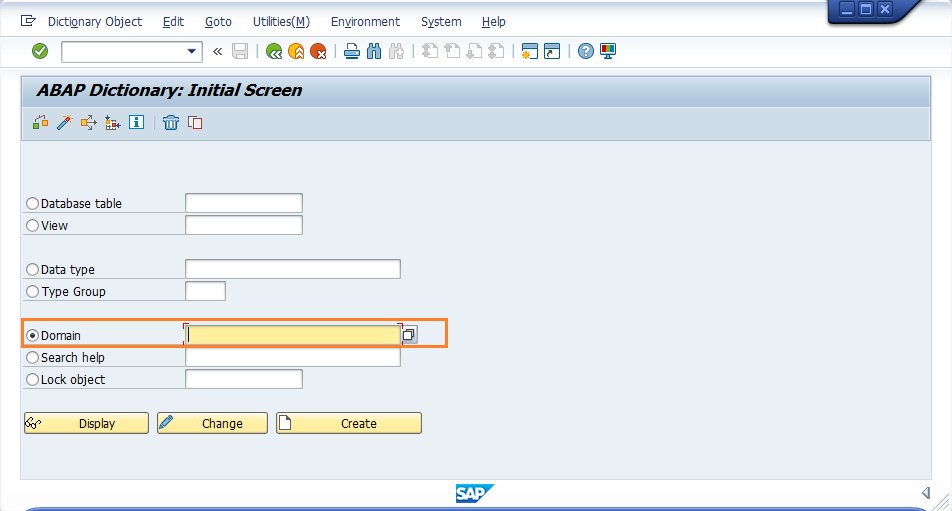
To create a domain, follow these steps:
- Go to transaction code
SE11. - Select "Domain" and enter a name for your domain.
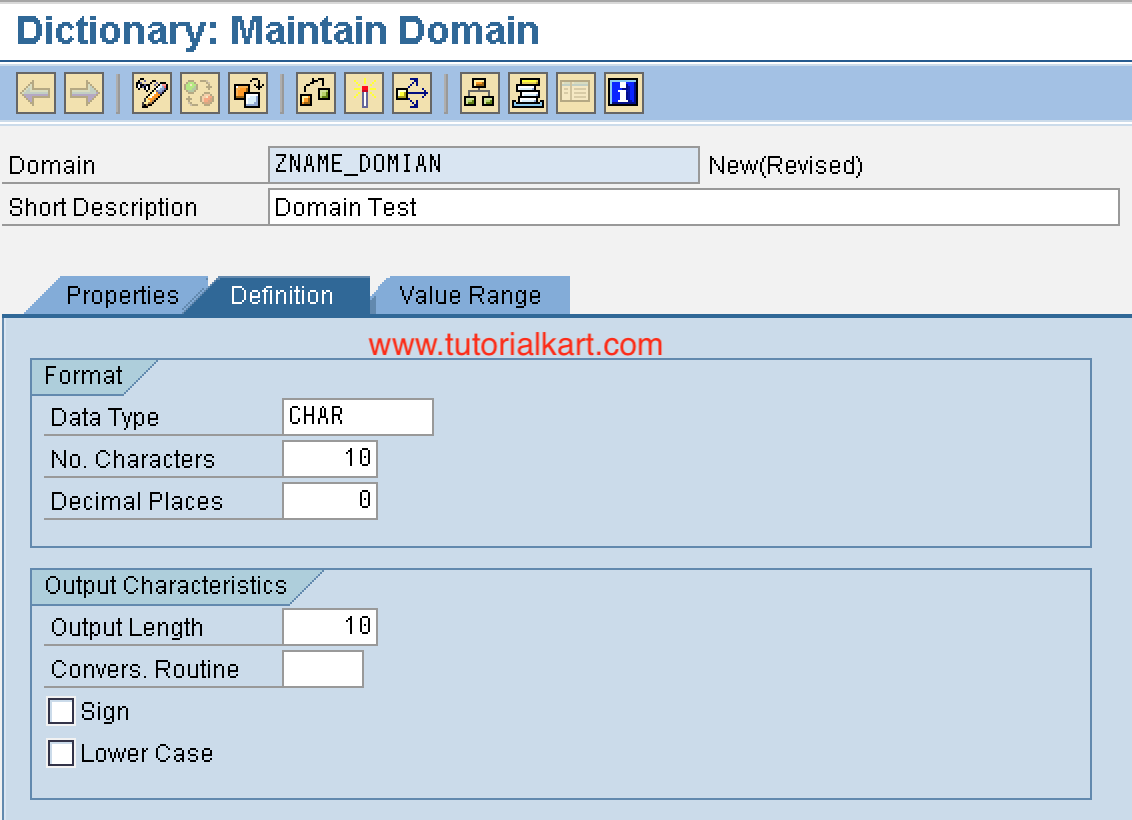
- Define the data type, length, and value range for the domain.
- Save and activate the domain.
| 1 | 2 |
|---|---|
 |  |
Use case of Domains
Domains are used to create reusable definitions for table fields. For example, if you have a field that represents a country code, you can specify a domain for it specifiying that it is a 3-character long string. Or you could add all possible country codes as fixed values in the domain.
Country Codes
You can create a domain called ZCOUNTRY_CODE with the following attributes:
- Data Type: CHAR
- Length: 3
- Fixed Values: 'USA', 'CAN', 'MEX', etc.
Percentage Values
You can create a domain called ZPERCENTAGE with the following attributes:
- Data Type: DEC
- Length: 5
- Decimal Places: 2
- Value Range: 0.00 to 100.00
Status Indicators
You can create a domain called ZSTATUS_INDICATOR with the following attributes:
- Data Type: CHAR
- Length: 10
- Fixed Values: 'ACTIVE', 'INACTIVE', 'PENDING', etc.
Then, you can use these domains to define Data Elements for fields in various tables that require them.