SAP Fiori
Fiori in nutshell is a design principle. While SAPUI5 is a framework to implement Fiori design principles. Think of it as Material UI and React.js. You use React.js to implement Material UI design principles.
Fiori is not only a design principle, but also a collection of pre-built applications & components that follow the Fiori design principles. These applications are built using SAPUI5 and are designed to provide a consistent and user-friendly experience across different devices and platforms.
- Buttons
- Input Fields
- Tables
- Cards
- Dialogs
- Navigation Menus
- Forms
- App bars
- Side bars
- etc.
These can be used to build apps on all kinds of devices (Desktop, Tablet, Mobile) and platforms (Web, iOS, Android). Discover more about Fiori components here.
Fiori Launchpad
Fiori Launchpad is entry point to access different Fiori applications from one place. If you have multiple Fiori Apps. You can connect them all in Launchpad. Could be called a dashboard Home page for Fiori applications.
Fiori Floorplans
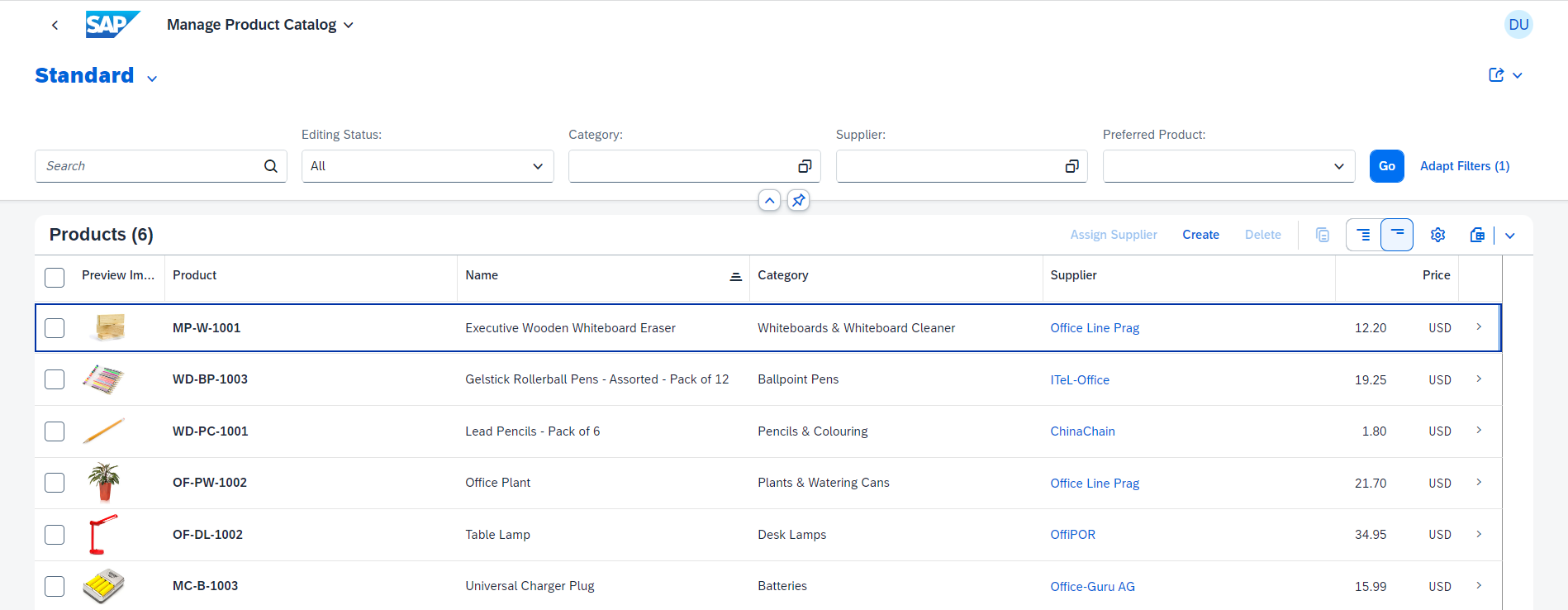
These are pre-defined templates that can generate common application layouts for certain resource. For example, if you want to create an application to manage a list of products. You can use the List Report floorplan. It will provide you with a pre-defined layout that includes a list of products, filters, and actions.
(List Report) Can be used to display a list of Products or any items
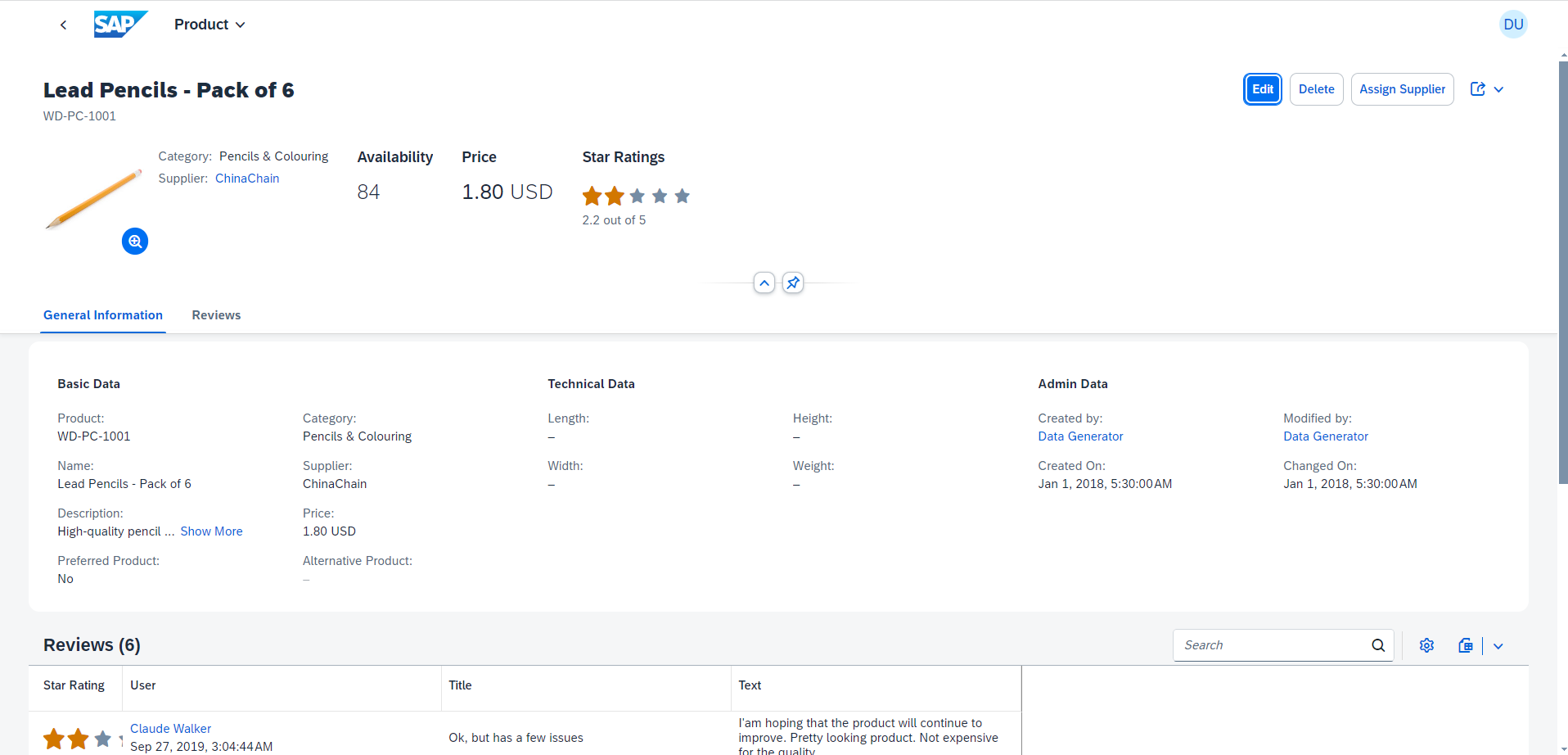
 (Object Page) Can be used to display Product details or any item details
 These can be easily generated with the help of CAP & SAP Fiori terminal Wizard.
Within the wizard you can:
These can be easily generated with the help of CAP & SAP Fiori terminal Wizard.
Within the wizard you can:
- Select the floorplan you want to use
- Select the data source (OData service) aka your server/api
- Select the data entity/model (e.g. Products)
- Select the fields you want to display
- Select the actions you want to perform (e.g. Create, Edit, Delete)