Creating Reports
You can create reports by using SQL statements to retrieve data and displaying it using Write statements or ALV Screens.
SQL Statements
To retrieve data from tables we use select similar to SQL, to retrieve data from tables.
Here we are doing the following
- Define workarea
wa_ekkoand internal tableit_tableboth of typet7qaw7a - Then selecting All fields of
t7qaw7atable retrieving all its records. - then putting all records in the internal table
it_table - Then we loop through all records.
DATA: wa_ekko TYPE t7qaw7a,
      it_table TYPE TABLE OF t7qaw7a.

SELECT *
  FROM t7qaw7a
  INTO TABLE @it_table.

LOOP AT it_table INTO wa_ekko.
  WRITE: / wa_ekko-scomp.
ENDLOOP.
A Modern way of doing it is.
SELECT *
  FROM t7qaw7a
  INTO TABLE @DATA(it_table).

LOOP AT it_table INTO DATA(wa_ekko).
  WRITE: / wa_ekko-scomp.
ENDLOOP.
Write
If we create reports using write, we are going to leave the user with 0-interaction or we will need to make all the interactions by hand.
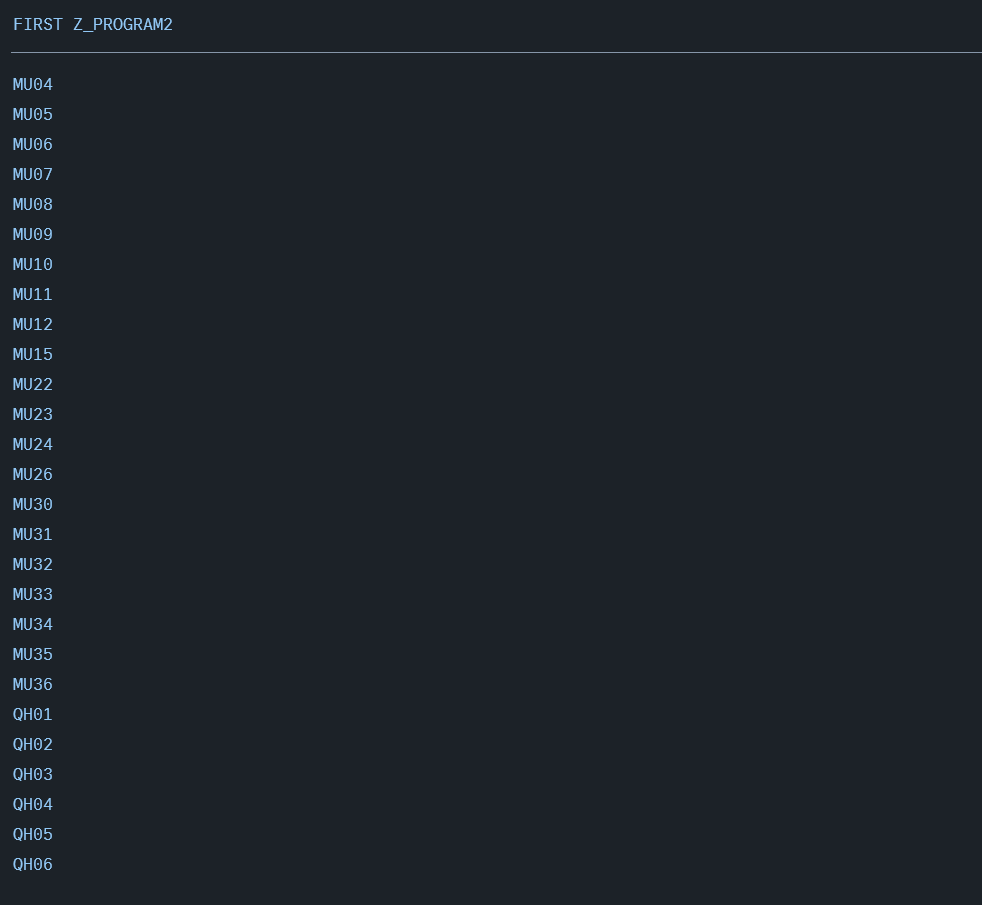
What we can do instead is using ALV Report.
ALV Reports
ALV Reports are a way to display your data in a better format, without the need to implement all the functionalities by hand. SAP Provide lots of out of the box solutions for common scenarios such as displaying data. Under the hood, these are function modules created by sap for users. ALV Reports are one of these scenarios where you want to display data in tabular format.
Using ALV Report
There are many configuration for ALV report that you can make, we will only display a single simple example for ALV reports.
" Defining ALV Fields
DATA: it_fieldcat TYPE slis_t_fieldcat_alv,
      wa_fieldcat TYPE slis_fieldcat_alv,
      gs_layout   TYPE slis_layout_alv.

CLEAR wa_fieldcat. " We need to clear the data from the workarea before assigning it values to insure no conflict
wa_fieldcat-fieldname = 'scomp'. "corresponds to technical field within the table.
wa_fieldcat-seltext_m = 'Scomp'. " This is a title can be anything you wish
wa_fieldcat-outputlen = 40. " This is the length of the field within the table.
wa_fieldcat-emphasize = 'C610'. " This is the color.
APPEND wa_fieldcat TO it_fieldcat. "We append this column data to the internal table.

" We repeat this for each of the columns we need to display
CLEAR wa_fieldcat.
wa_fieldcat-fieldname = `CAREA`.
wa_fieldcat-seltext_m = 'Area'.
wa_fieldcat-outputlen = 40.
wa_fieldcat-emphasize = 'C210'.
APPEND wa_fieldcat TO it_fieldcat.

" Lastly we call the Function Module of ALV Table with export fields and table.
CALL FUNCTION 'REUSE_ALV_GRID_DISPLAY'
  EXPORTING
    it_fieldcat = it_fieldcat
    is_layout   = gs_layout
  TABLES
    t_outtab    = it_table.
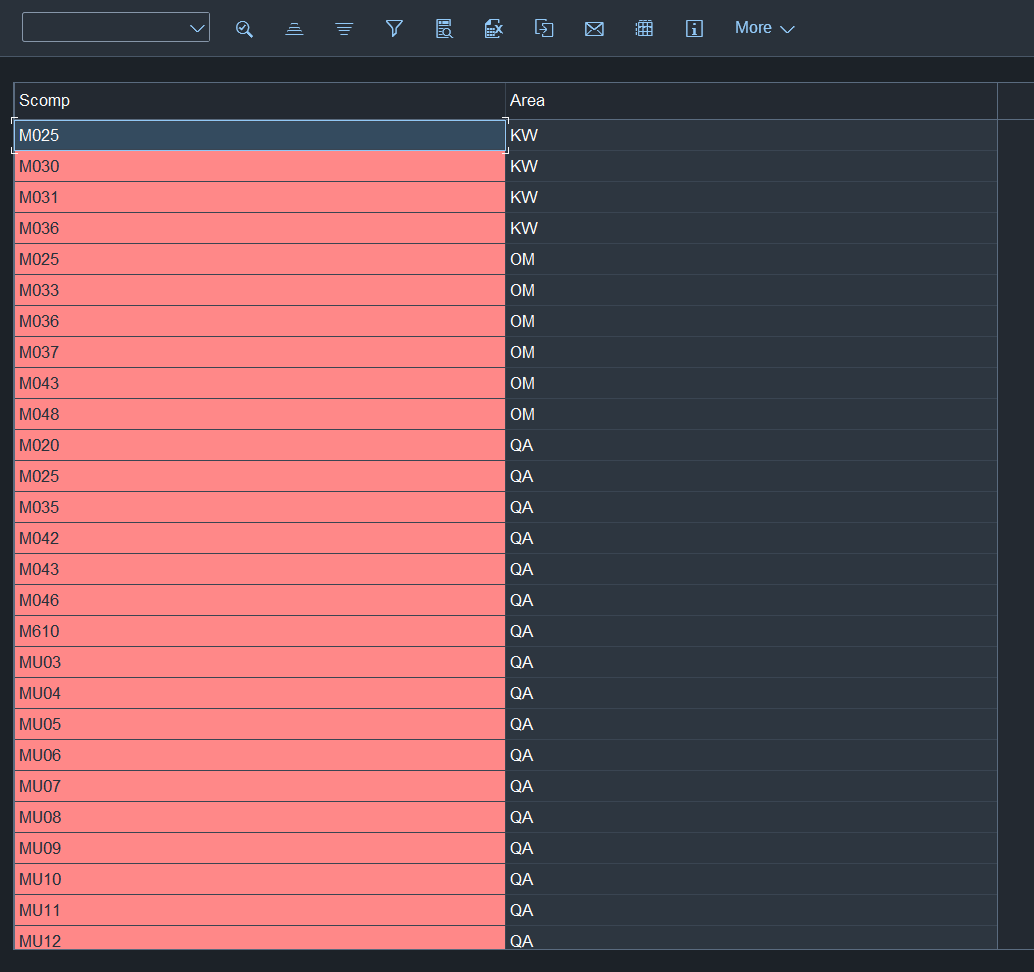
Result
Table with Utilities and header and all.