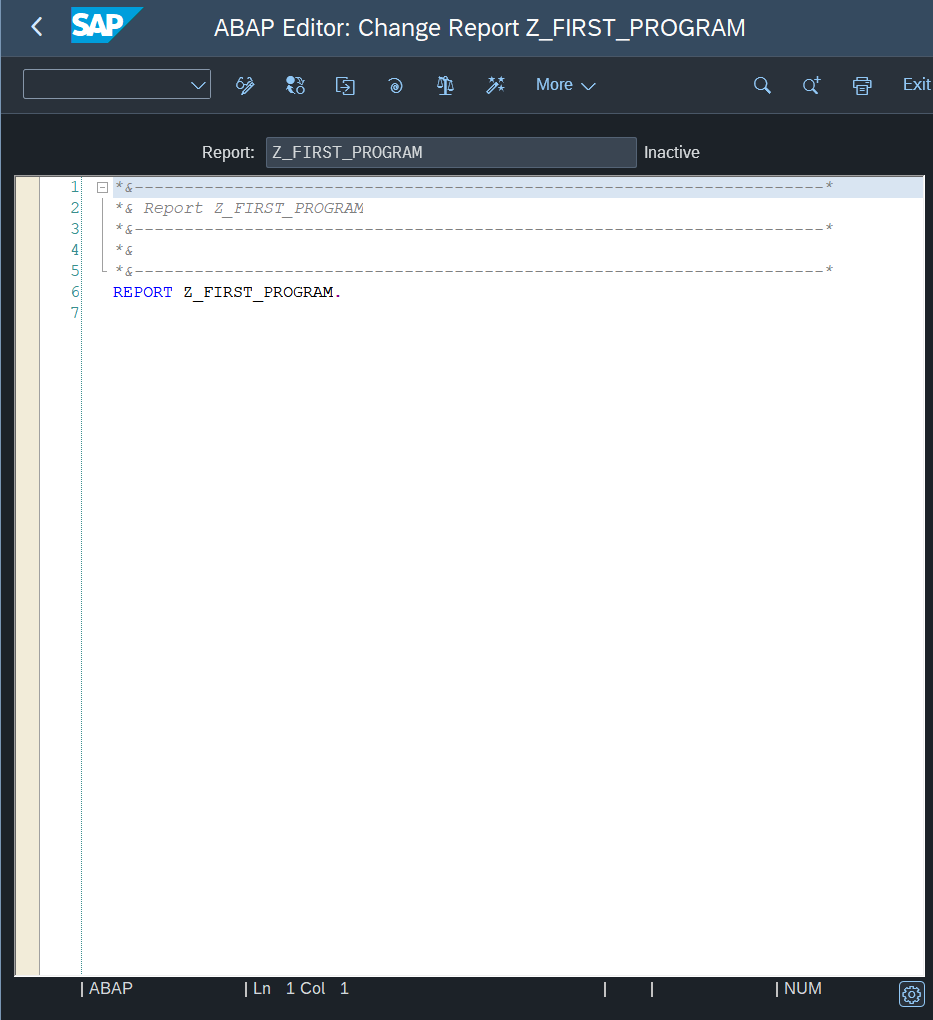
Creating First Z_PROGRAM
Here will explain how to create your first ABAP Program
Programs in ABAP are prefixed with Z or Y to indicate they are not a standard programs.
ABAP Standard Programs usually prefixed with Letters from A to X.
Pre-requisite
Before creating an ABAP Program, we need to create couple of things.
Package
ABAP Programs need to be related to a program, hence why we need to create it first.
Package might contain multiple programs, they act as a category. A program might hold multiple related programs.
Creating a Package
First we need to navigate to Transaction SE80.
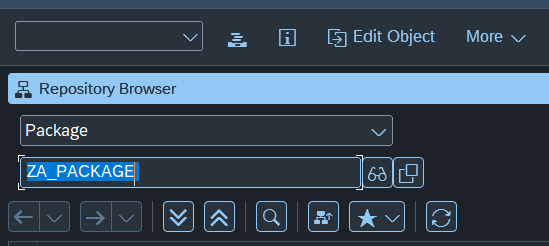
You need to Choose Package, then write any package names you want prefixed with Z.
Then Click on the Binocular Icon.
You will prompt with this dialog

Click Yes
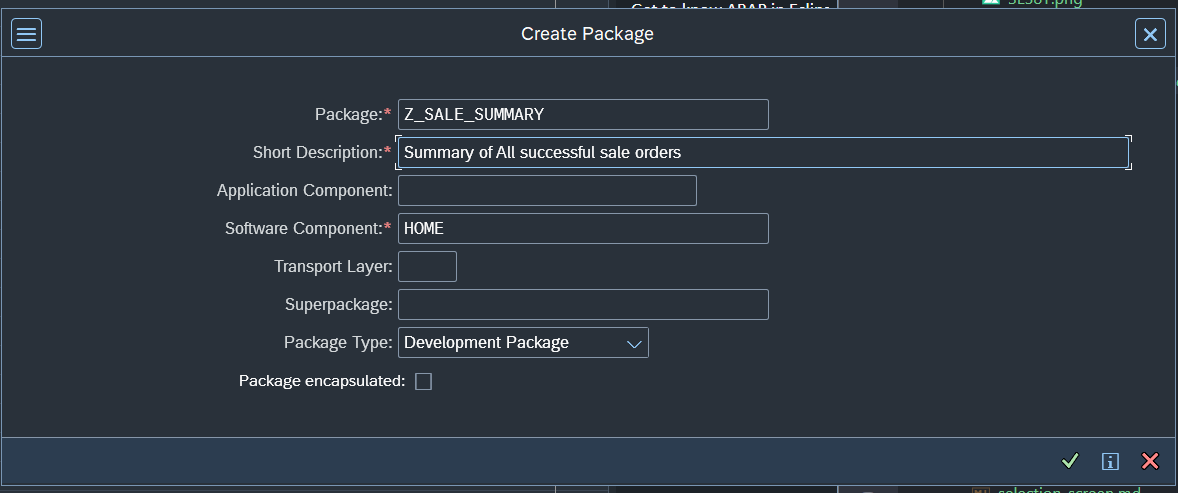
Then fill the Short Description. Make sure to name actually describe the program. For your first program, you can say First abap program.
Now you will be prompted to choose/create a Request. At first you will have no Request so you will create a new one using the document icon.
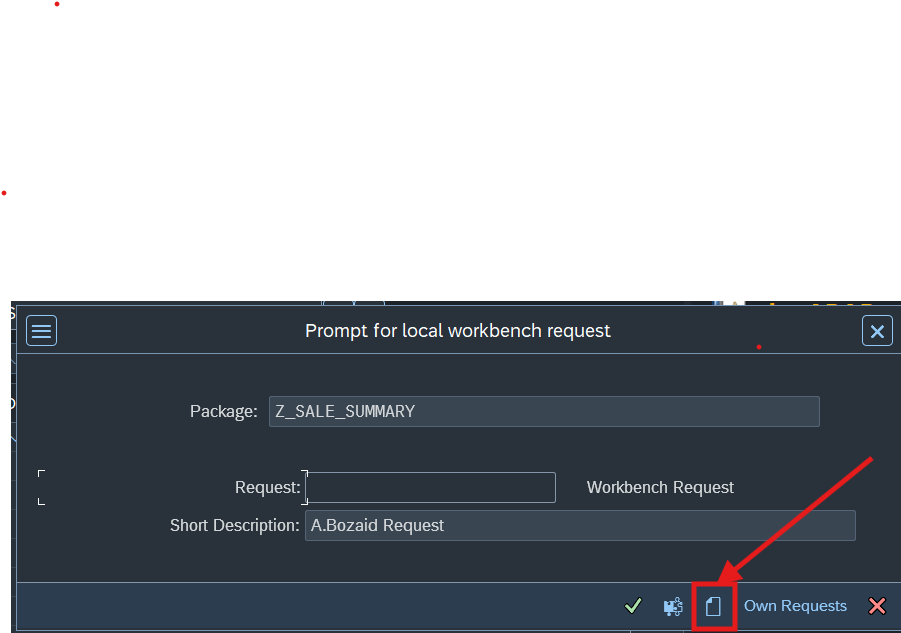
In the request creation you only need to fill the Description, ABAP will assign a generated ID (Unique) for the Request.
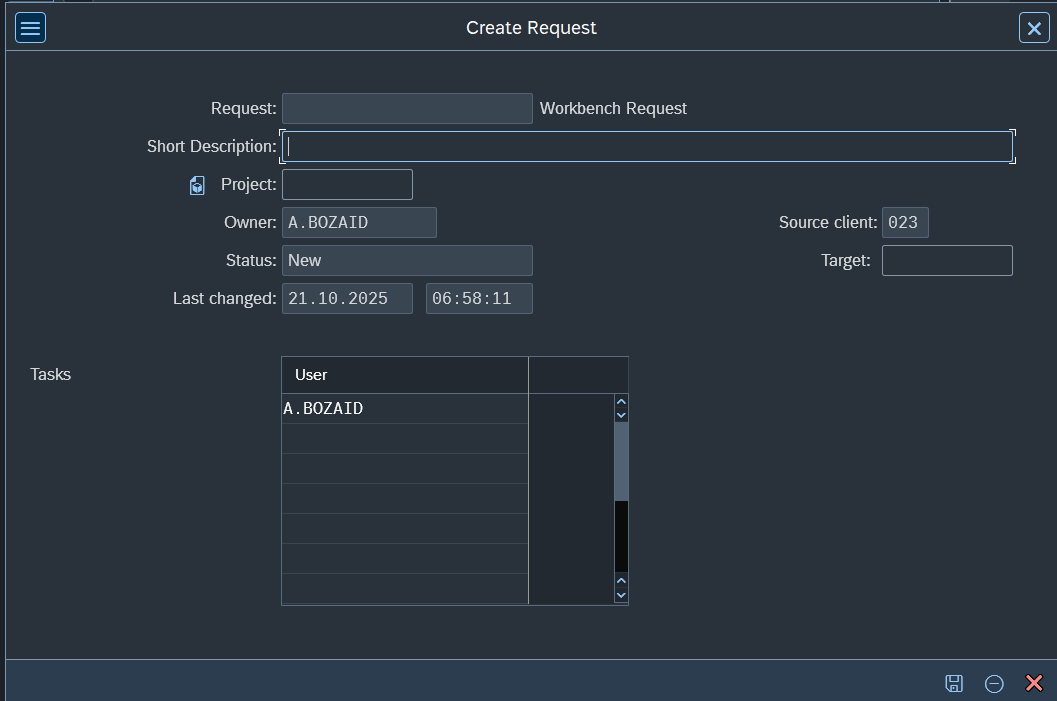
Then you create it and click the Green Arrow to finish creating the package.
Creating a Program
Now we Navigate to SE38 to create programs.
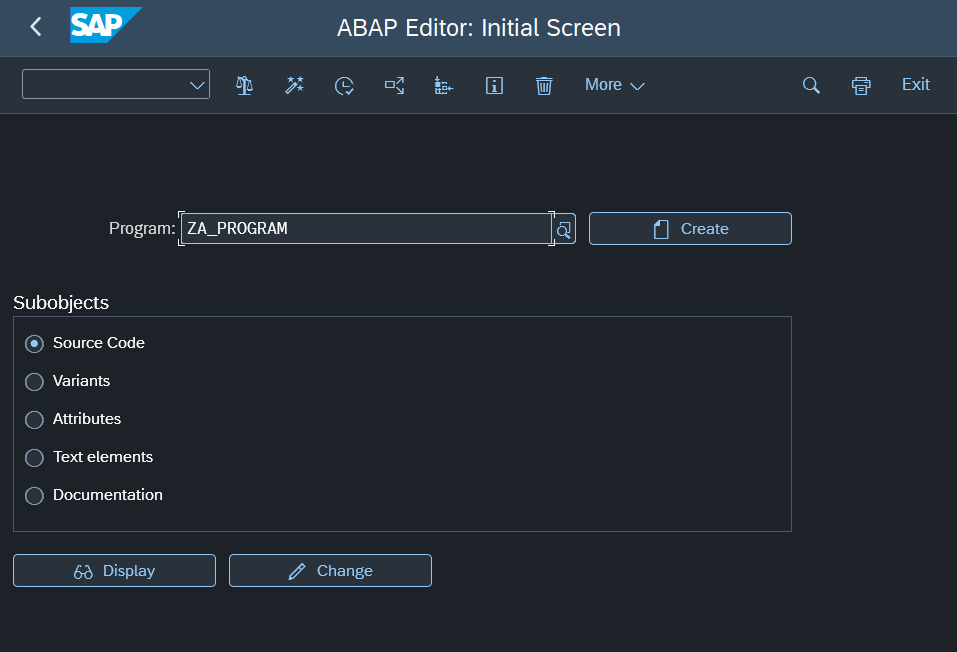
Write a program name prefixed with Z_. For example, Z_FIRST_PROGRAM
Then click on the Create 📄 button and then
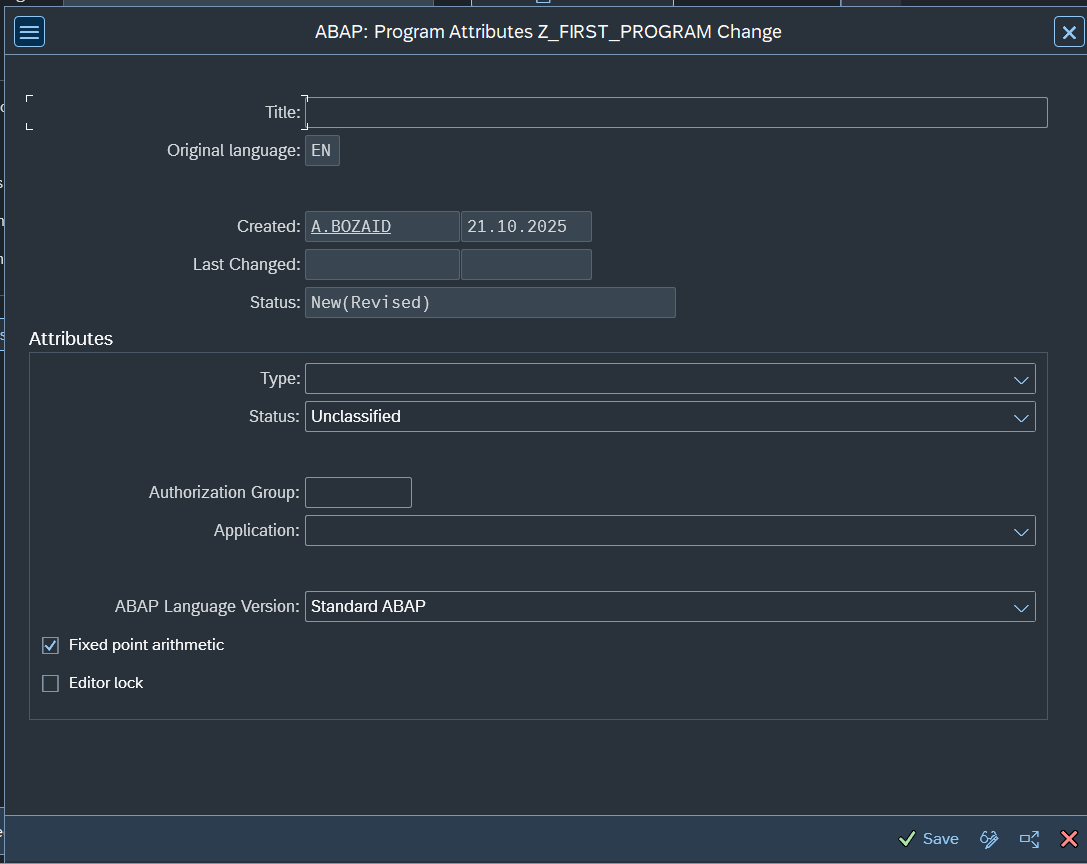
Fill the Title and Choose Executable Program as the TYPE.
Then click on ✅.
Then you will be prompted to choose the package.
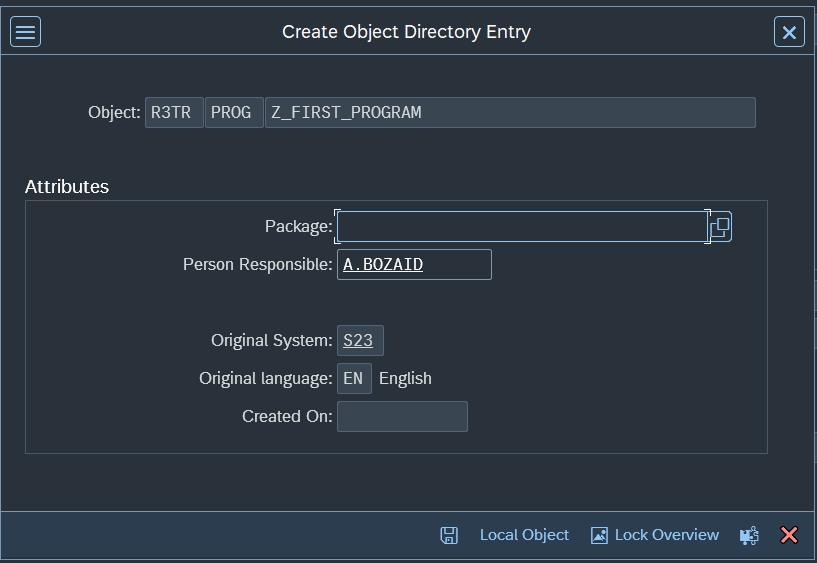
Write the excat package name you create previously.
Clicking ✅ will prompted you to choose the request (Usually prefilled).
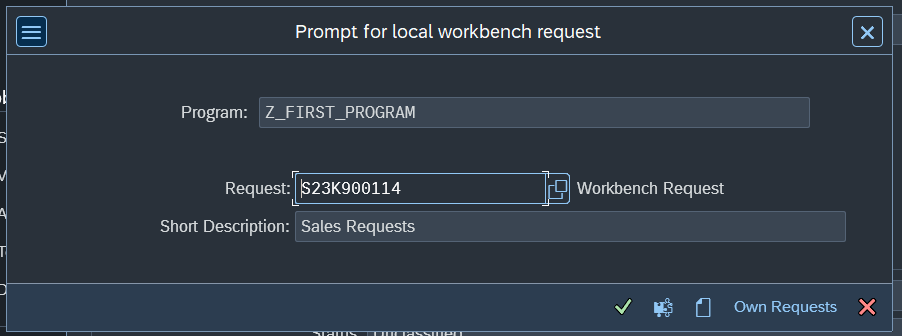
Click the ✅ again. And your first program will be created. Enjoy.